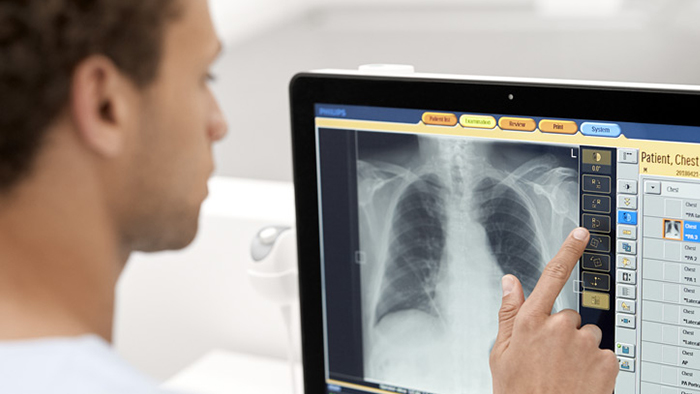
Eleva User interface for X-ray
Customize and automate the imaging process
Designed for creating, processing, and transferring digital X-ray exposures, Eleva is an exam and patient-related automatic parameter setting control for our radiography and fluoroscopy systems.
Eleva Tube Head for faster workflow
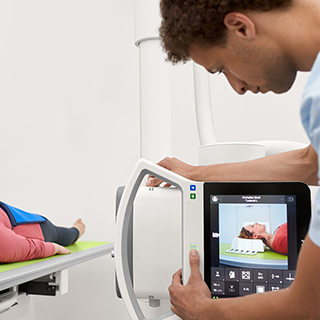
Our DigitalDiagnost C90 is the first Philips system to come with the innovative, award-winning Eleva Tube Head, with easy to- learn touchscreen interface, for a fast workflow. Check or change the most vital exam parameters directly at the tube head. Select the next view of the examination in the examination room and see the preview image directly at the tube head.
Faster workflow and easier collimation
The Eleva Tube Head offers an integrated touchscreen and a live camera for extended Eleva control, right in the exam room. The live camera helps with patient positioning by providing a clear view of the collimation area which can help alleviate imprecise collimation such as with obese patients. Better positioning can also help eliminate time consuming retakes that add unnecessary X-ray dose. Utilizing the Eleva Tube Head can speed up the workflow by 28 seconds per examination.*
Live Camera Package
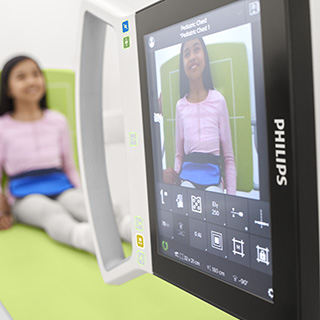
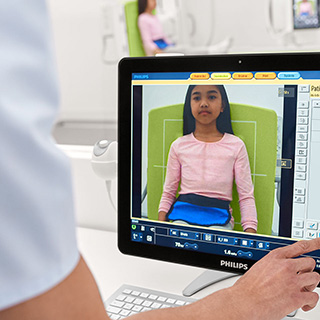
Since 67,5 %** of retakes in radiography result from wrong patient positioning, this problem is addressed by the Eleva Tube Head Live Camera. The Live Camera allows the user to check on correct positioning prior to image acquisition also at the working console by means of live camera images. 94 % of the users think that the live camera images at the work station helps to avoid retakes.*
Faster setup time
75 % of the users consider the Eleva Tube Head as helpful spending more time with the patient.*
*Validated by clinicians in a Philips’ development environment.
**Little, K.J., et al. (2016) Unified Database for Rejected Image Analysis Across Multiple Vendors in Radiography, Journal of the American College of Radiology, 14(2), 208-216.
See how Eleva User Interface improves workflow
Live Camera Collimation at the Eleva Tube Head
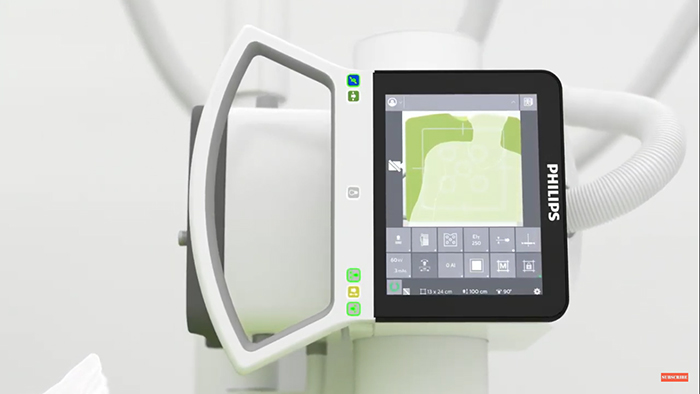
See the live camera collimation at the Eleva Tube Head in action.
Eleva Tube Head with Live camera & Touch screen
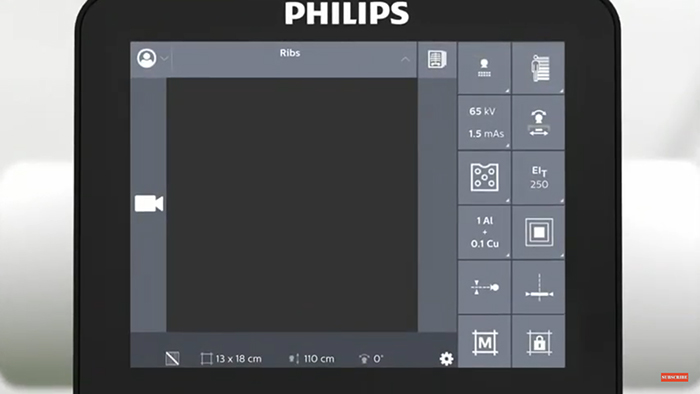
Learn more about the workflow benefits of the Eleva Tube Head with Live camera and touch screen
Philips Simple Ranger tool in Eleva
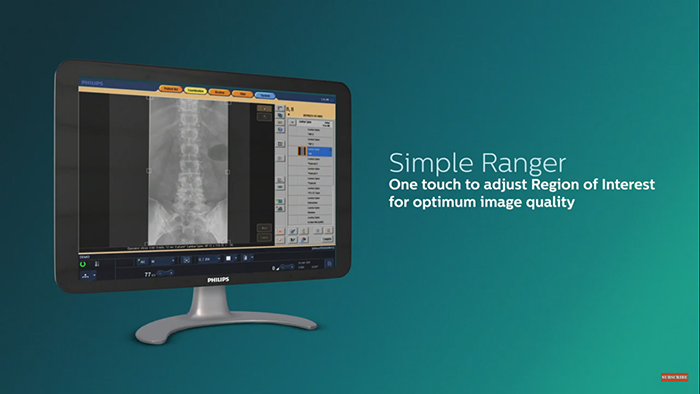
Learn more about Philips Simple Ranger tool in Eleva and how it can work for your practice.
Eleva workflow powers imaging
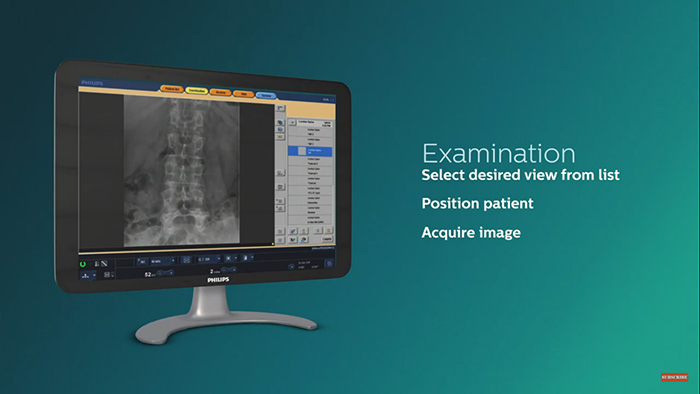
See how our Eleva workflow can be used with all Philips radiography systems
Benefits of Eleva user interface
The Eleva user interface is adaptable to the way you work and helps provide convenient and efficient patient care. By customizing and automating the imaging process, you can optimize exams for virtually every type of patient, from newborn babies up to obese adults. Enhance your departmental throughput with a fully automated workflow.
- Supports a fully automated workflow
-
Eleva is adaptable to the way you work and helps provide convenient and efficient patient care. By customizing and automating the imaging process, you can optimize exams for virtually every type of patient, from newborn babies up to obese adults. Enhance your departmental throughput.
- Simplifies exposure control
-
All generator functionality is fully integrated into the Eleva workspot, saving you space and time. You can easily adapt exposure parameters by choosing from our pre-programed settings and applying them right from the Eleva workspot to enhance workflow efficiency.
- One concept - multiple modalities
-
The Eleva interface is common across our radiography portfolio. You decide when, where and how to work, be it on a CR, DR, or RF system. Enjoy the advantages of flexible clustering of different X-ray modalities. You can even start several examinations from different modalities at the same time.
- Easy, intuitive to operate
-
Using the Eleva workspot touchscreen it takes just three easy steps to get an image after exposure.
Step 1: Select patient
Step 2: Perform exam
Step 3: Complete examAll images and information are integrated into your hospital networks such as RIS/PACS and archiving systems through DICOM. Intuitive use interface shortens training times.
- Integrates with the latest technologies
-
With each Eleva release we provide integration with our latest technologies such as, SkyFlow Plus (contrast enhancement for gridless chest exams), SkyPlate wireless portable detectors, ceiling suspended geometry (optional fully motorized), Windows 10 OS, and DICOM-DVD storage. Each update expands your capabilities.
- Work quickly and intuitively
-
The Eleva user interface provides all the tools and controls necessary for seamless procedures. This one common platform is easy to learn and use, and is highly suitable for streamlining your radiography department. It is the same harmonized user interface found across our radiography portfolio.
• Exposure and fluoroscopy settings to regulate X-ray dose levels
• Parameters for image pre- and post-processing
• Geometry settings
• Beam limitation
- Target and deviation index
-
With the resultant IEC standard 62494-1 “exposure index of digital X-ray imaging systems,” which provides a unified method to generate an exposure index value, requires users to input a target exposure index (EI_T). This offers the possibility to specify the noise level that is diagnostically appropriate for an examination and indicates a deviation index (DI) value that gives feedback to the user regarding technique and image quality based on signal-to-noise ratio. These are important values in providing feedback in regard to achieving optimal images at a low dose, the EI and DI don’t directly indicate patient dose.
“Expected value of the exposure index when exposing the image receptor properly“*
“May depend on the type of detector, the type of examination, on the diagnostic question…“*
*Source: IEC 62492-1 (International Electrotechnical Commission)
- Philips Bone Suppression
-
Philips Bone Suppression** software helps remove bone structures from chest images for an unobstructed view of soft tissue. This clear view can facilitate an accurate image interpretation. As part of Philips’ Eleva platform, Bone Suppression is integrated into the regular system workflow.
**Riverain Technologies' ClearRead Bone Suppression